Scanned human skin detail for ZBrush
ZBrush Skin Alphas & 57 Human Skin VDM Brushes
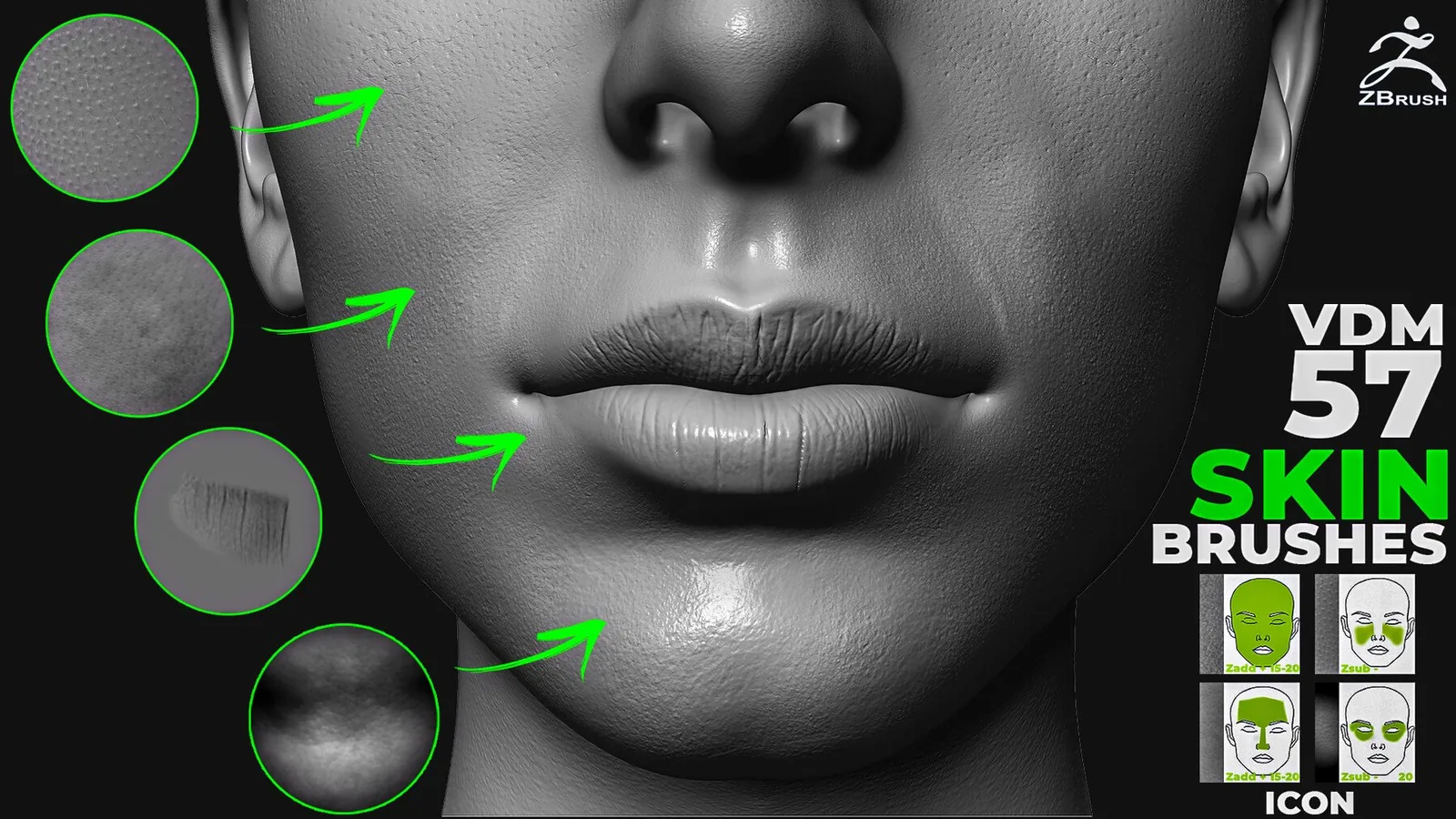
If you need ZBrush skin alphas with directional volume, this pack provides 57 VDM brushes built from scanned human skin, wrinkles and anatomical surface features.
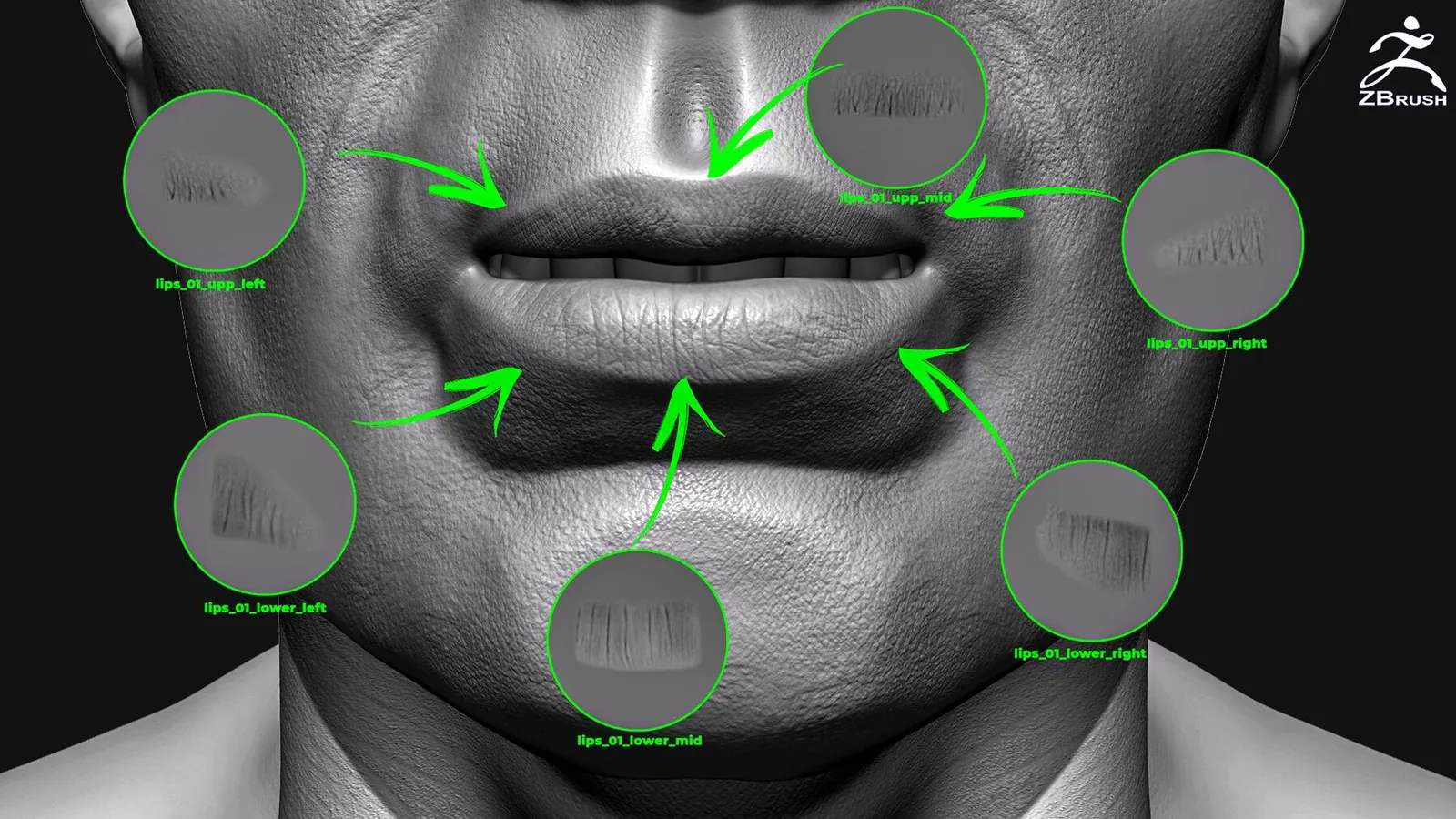
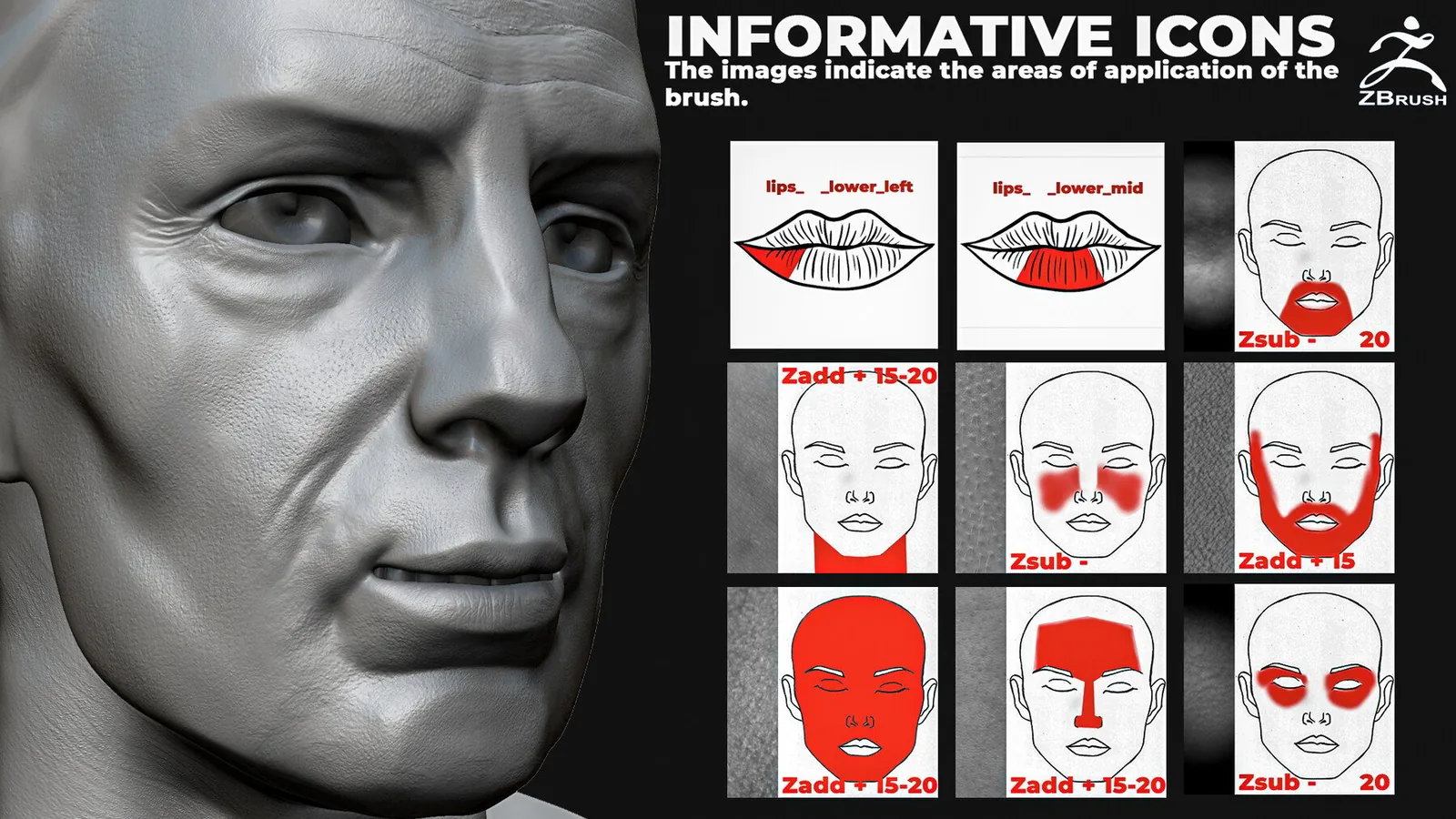
The set is designed for realistic face, hand and body detailing. Each brush has an individual preview icon showing its intended application area, helping you choose useful pore or wrinkle detail without testing every brush.
What is included
ZBrush VDM brushes vs flat skin alphas
| Tool | Best for | Behavior |
|---|---|---|
| VDM brush | Pronounced wrinkles, folds and directional skin forms | Stores vector displacement and can add complex volume. |
| Grayscale alpha | Pores, fine breakup and shallow wrinkles | Controls height along the surface normal and is easy to reuse across software. |
This product is a VDM brush set rather than a flat-alpha-only library. For 4K grayscale pores and facial alphas, compare the 300+ Face Skin Sculpting Brushes.
How to use human skin brushes in ZBrush
- Finish the skull, muscle, fat and major facial forms before adding skin texture.
- Subdivide the mesh until it can hold the smallest intended wrinkle or pore detail.
- Choose a VDM brush using its body-area icon, then align the stroke with the natural tension direction.
- Apply the brush at moderate or low intensity. Change size and orientation between strokes to avoid repetition.
- Smooth or reduce any detail that competes with the underlying anatomy, then evaluate it at final render distance.
For ZBrush controls and alpha behavior, consult the official Maxon Alpha documentation.
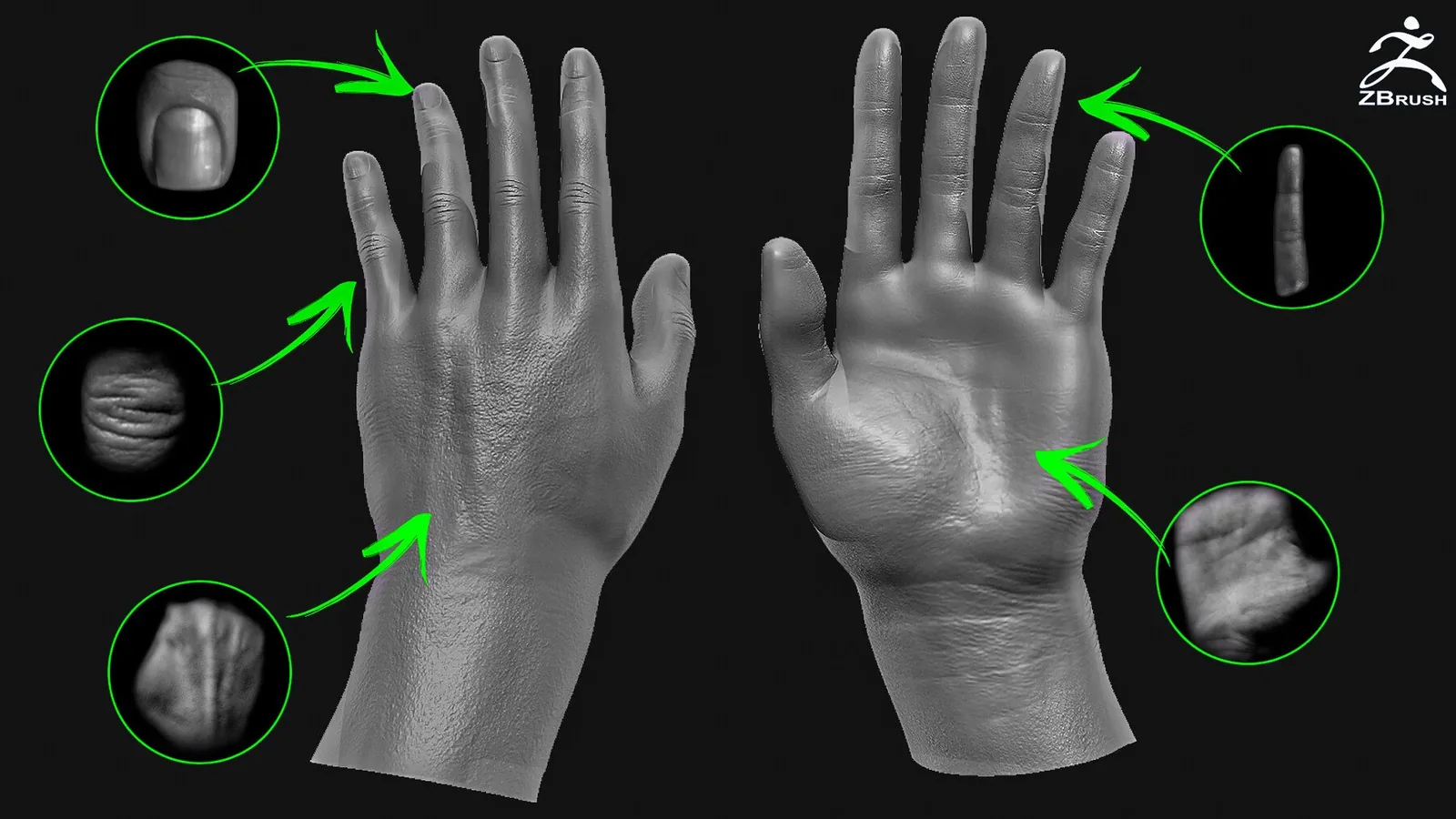
Human skin VDM preview gallery
Video demonstration
Need a larger human skin library?
ZBrush skin alpha FAQ
Are these ZBrush skin alphas or VDM brushes?
The product contains 57 ZBrush VDM brushes made from scanned human skin detail. VDM brushes can reproduce directional volume more effectively than a flat grayscale alpha alone.
Which body areas are included?
The set covers the face and hands, with the update adding shoulder, leg and chest brushes. The details can also be adapted to other human body areas.
How should I apply ZBrush skin detail?
Complete the anatomy and primary folds first. Apply VDM skin detail on a sufficiently dense mesh, vary brush size and direction, then reduce or smooth any marks that read too strongly.
What is the best pack for more pores and flat alpha maps?
For a larger cross-software library, compare the 300+ Face Skin set with 4K alphas or the complete 1100+ bundle for Blender and ZBrush.
Can the brushes be used for commercial work?
Commercial-use terms depend on the license selected on ArtStation. Review the marketplace license before using the files in a commercial project.