Seam Curves 1.4.8 · Blender Add-on
SEAM CURVESCULPT EVERY STITCH.
Draw stitches, fabric folds and grooves directly onto a 3D surface. Refine the path while you see the alpha relief, then sculpt it into the mesh or generate a separate, UV-mapped ribbon.
Blender 4.2–5.3 · Seam and fold alphas included · Instant digital download. Price may change on Superhive.
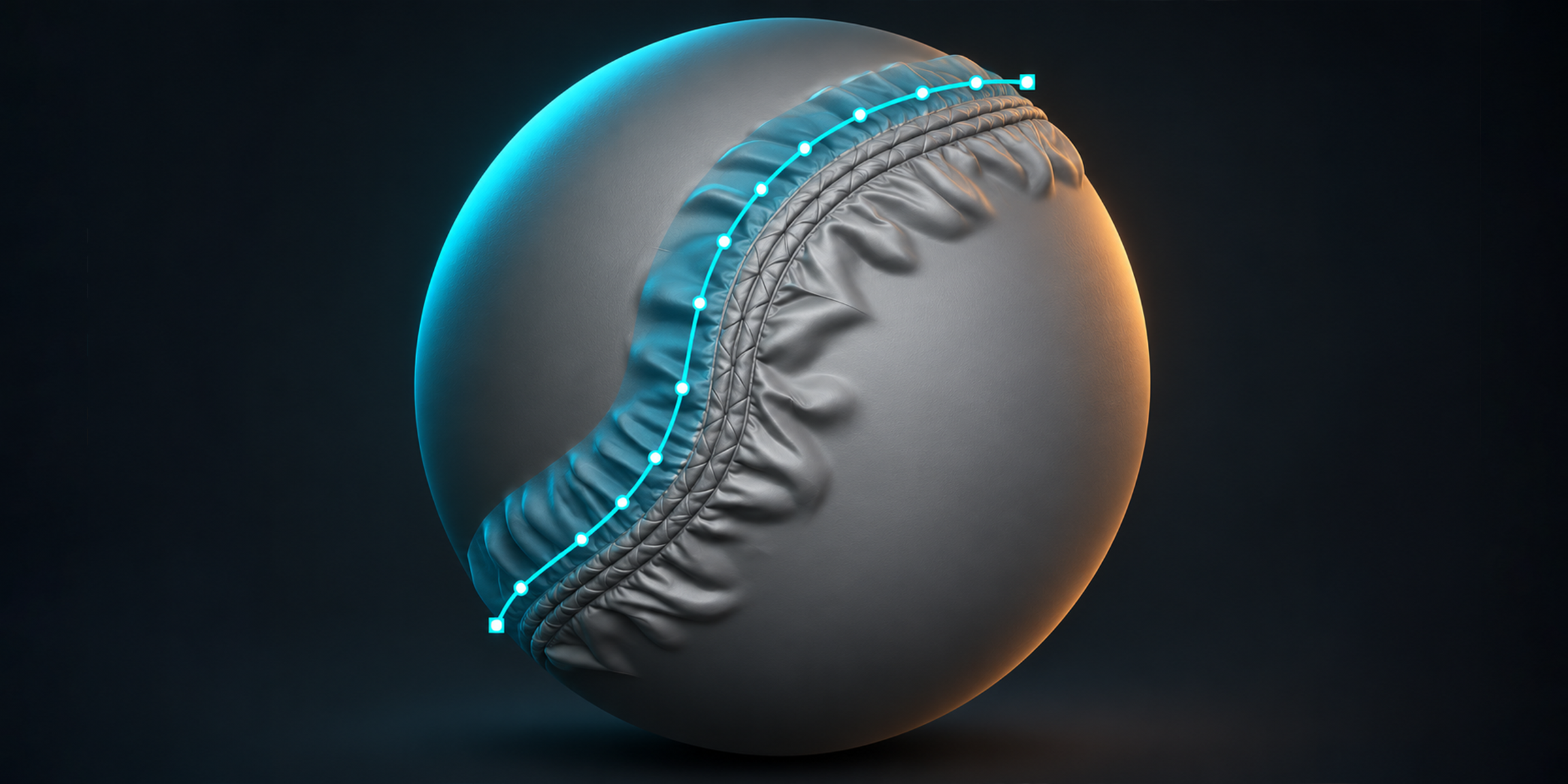
Draw → Edit → Apply
Sculpt seams like you draw a line
No manual placement of individual stitches. Create a path directly on the model, preview the selected alpha along the surface, and adjust it before committing geometry.
Place the path
Sketch a freehand curve or create precise corner points on the mesh. Insert, move and delete points when needed.
Shape the relief
Preview stitches and folds live. Adjust width and depth along the entire curve or point by point.
Commit the seam
Apply displacement to the original mesh or build an independent quad ribbon with UVs.
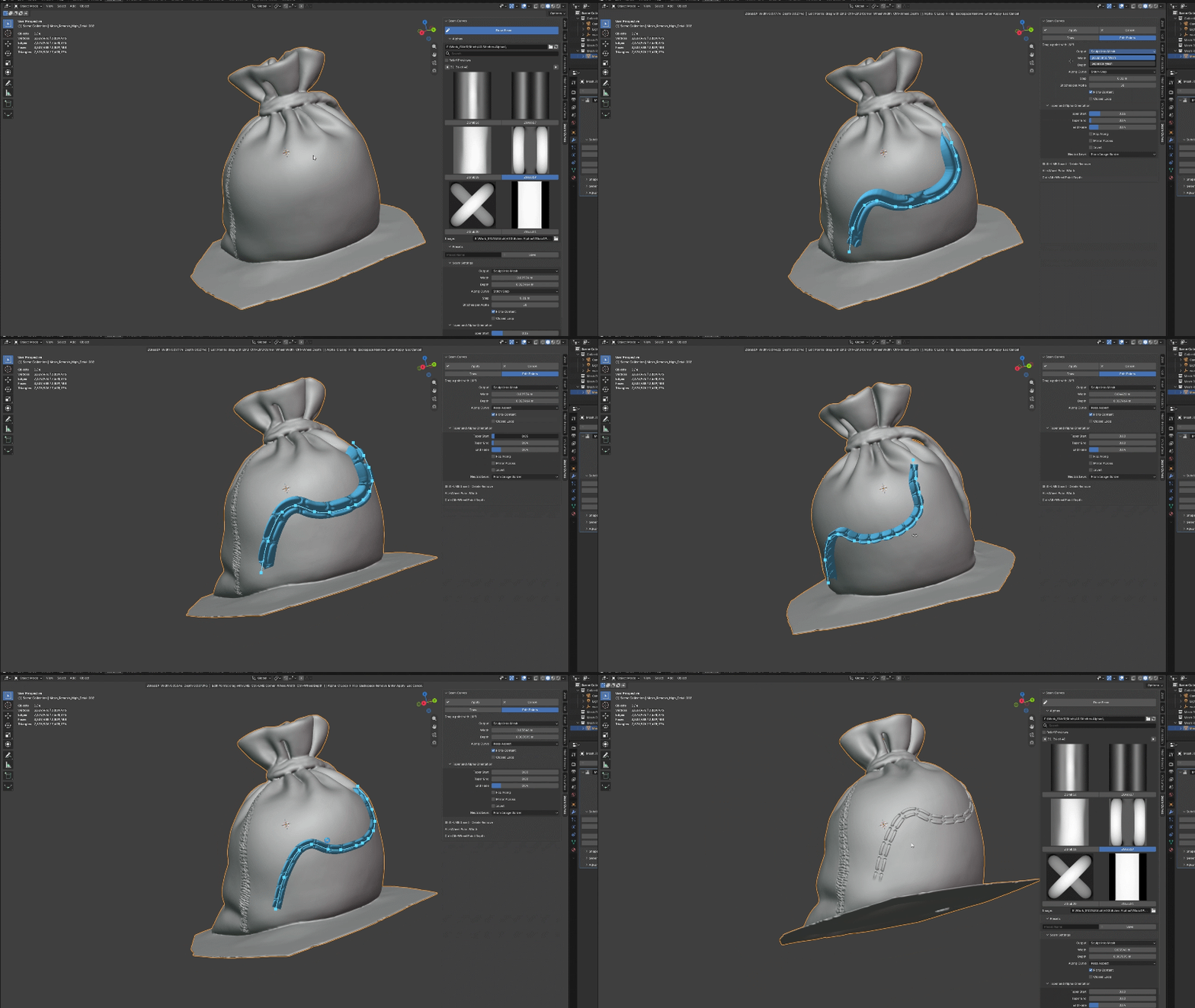
Two ways to build
One editable path. Two professional results.
Choose the result that fits your geometry and your sculpting workflow.
Sculpt into Mesh
Raise and carve the mesh’s own vertices. The seam becomes part of the sculpt, ready for continued detailing. Use sufficient mesh density or a supported Multires modifier for finer patterns.
Separate Mesh
Create a quad-based, UV-mapped seam ribbon with independent resolution. Assign materials to threads or build raised details over a lower-resolution base.
A ready-to-use detail library
300+ patterns, plus your own alphas
Start with bundled seams and folds or point the visual alpha browser to your own grayscale height-map folders. Preview and search patterns before applying them.
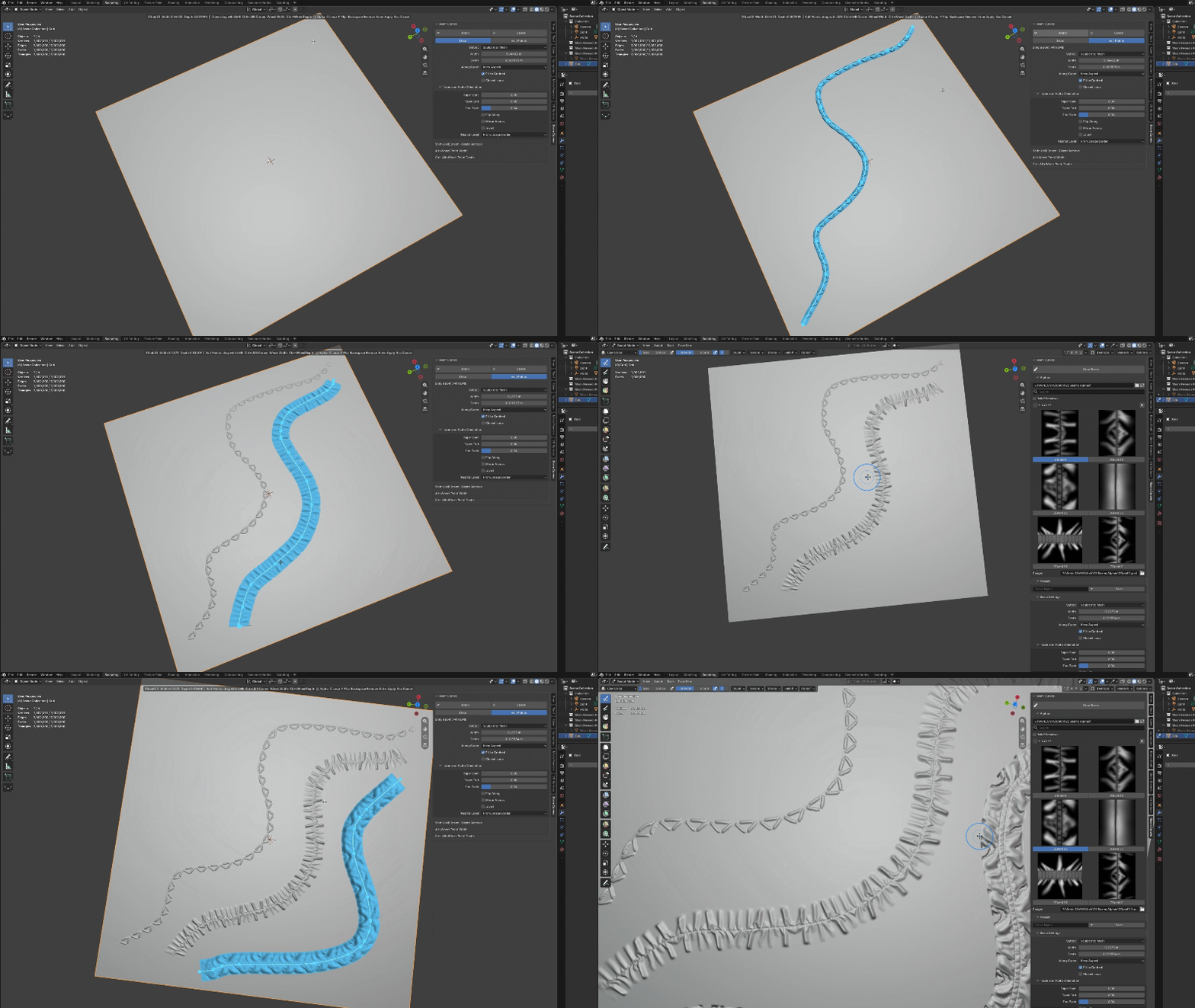
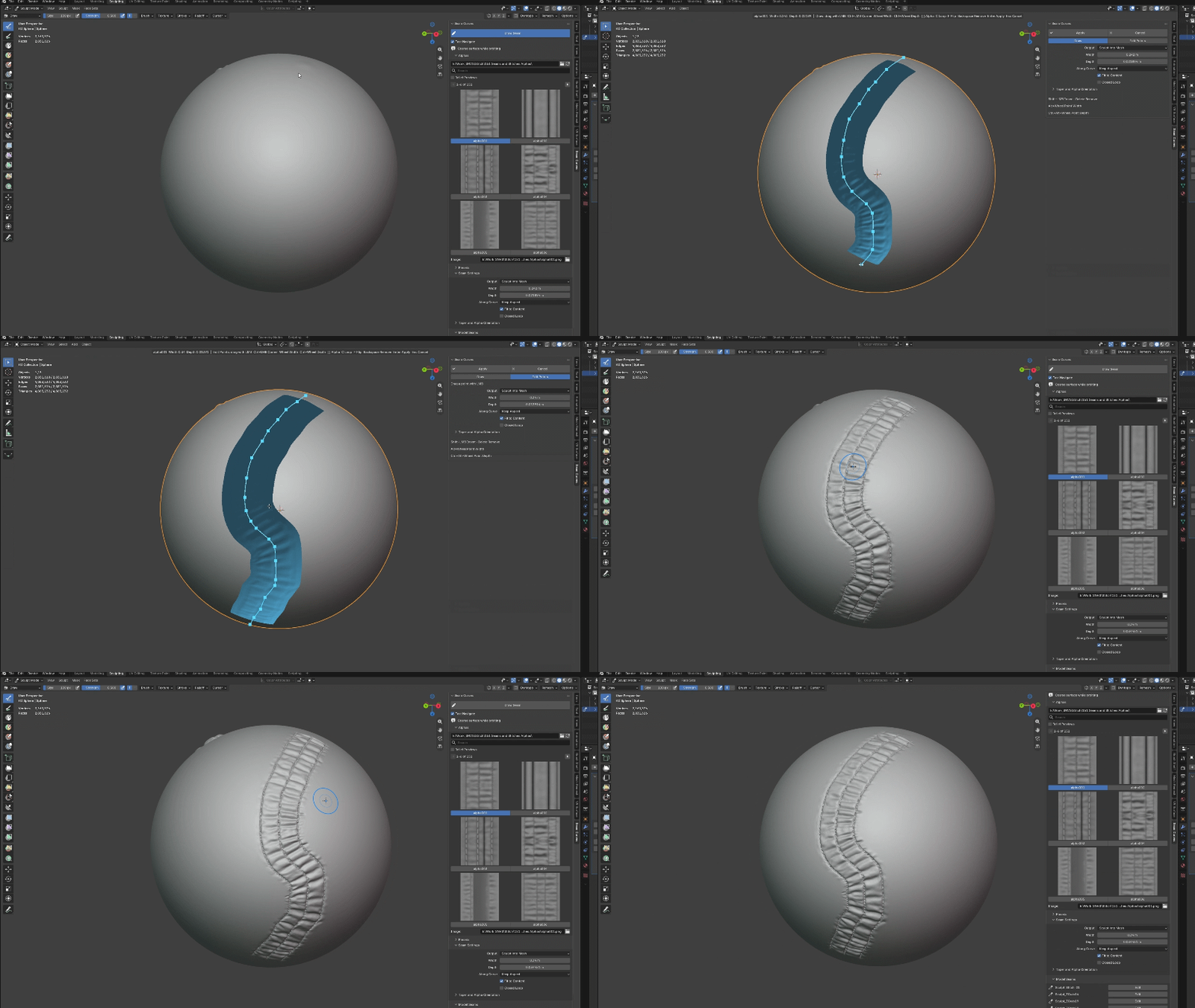
16-bit displacement detail
Dedicated 2048 × 4096 TIFF alphas for V-shaped cuts, soft channels, slots, waves and cracks – ready for seams that should carve into a surface rather than rise above it.
Precise pattern control
Control exactly how the stitch repeats
Different shapes need different repetition settings. Seam Curve supports four mapping modes.
Use the original alpha proportions, define fixed stitch spacing, specify an exact number of repeats, or stretch one pattern along the complete curve. Saved paths can be reopened with Model Seams → Edit when topology requirements are preserved.
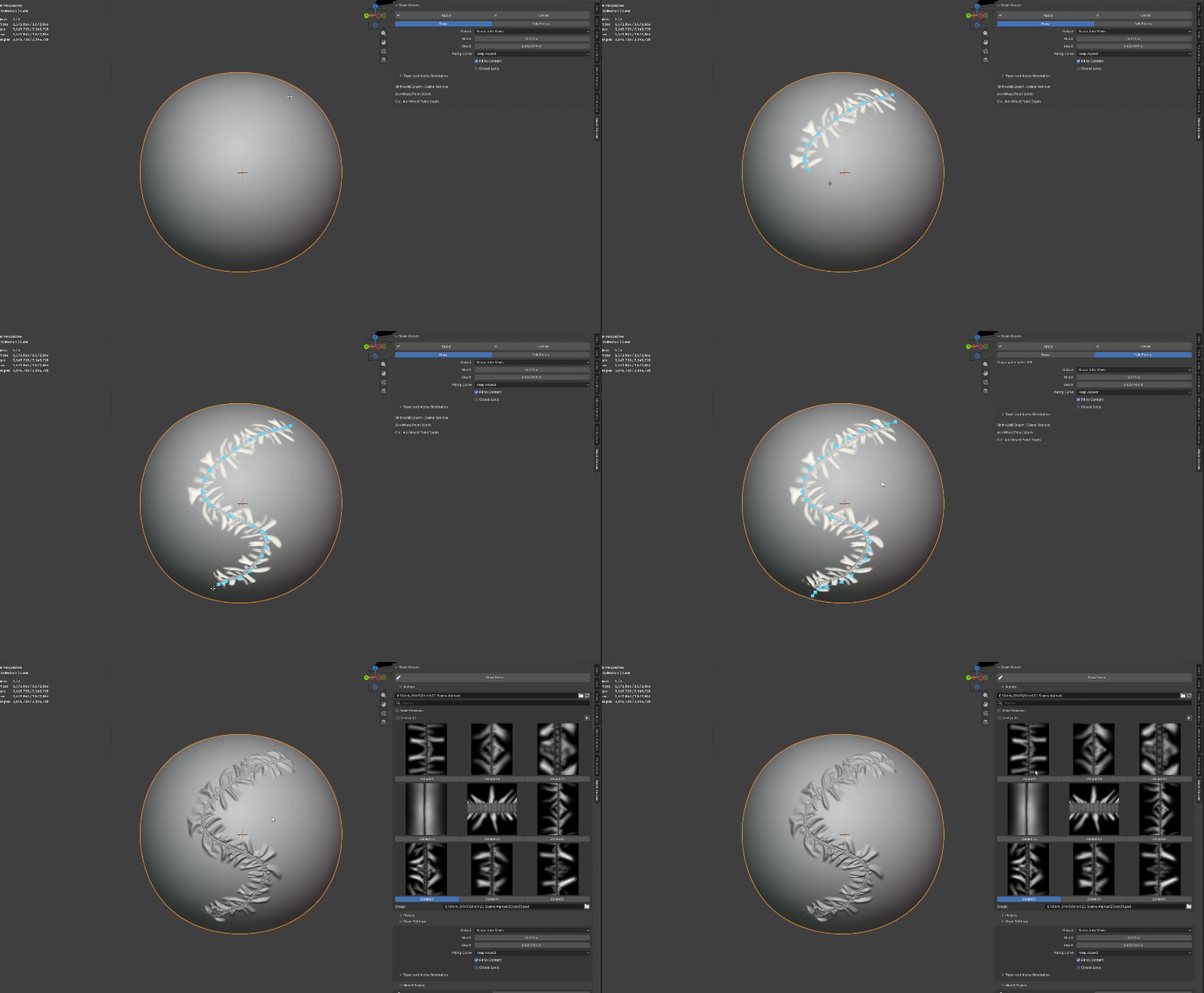
Watch the actual workflow
Seam Curve in Blender
See how a seam is drawn, edited, previewed and applied using the original Superhive demonstration.
Install & start
Everything you need is in the download
Includes the Seam Curves 1.4.8 installable extension ZIP with Python source, 300+ seam/fold alphas, 12 dedicated groove maps and an illustrated English PDF guide.
- In Blender, open Preferences → Get Extensions → Install from Disk and select the extension ZIP.
- Select a mesh and open the N-panel → Seam Curves.
- Choose an alpha folder, click Draw Seam, adjust the path and apply your chosen output.
Sculpt into Mesh requires a local editable mesh without shape keys, with either a plain mesh or a supported single Multires modifier with packed displacement. Maintain topology and the Multires level count when reopening applied sculpt seams.
Details & compatibility
Frequently asked questions
What does Seam Curve do?
Seam Curve lets you draw an editable path directly over a mesh, preview a grayscale alpha along it, and apply the result either as sculpted relief or as a separate UV-mapped mesh ribbon.
Can I use my own alpha textures?
Yes. You can point the alpha browser to your own grayscale height-map folders and search for patterns by filename.
What is the difference between Sculpt into Mesh and Separate Mesh?
Sculpt into Mesh modifies the original mesh vertices, so fine stitches need sufficient geometry density or a supported Multires setup. Separate Mesh creates a quad-based, UV-mapped ribbon that can have its own resolution and material.
Can I change a seam after applying it?
Saved seams can be reopened through Model Seams → Edit, provided the required mesh topology and Multires conditions remain unchanged.
What is included in the download?
The installable Seam Curves 1.4.8 ZIP with Python source, 300+ seam and fold alphas, 12 dedicated 16-bit TIFF groove maps, and an illustrated English PDF guide.
Which Blender versions are supported?
The Superhive listing specifies Blender 4.2 through 5.3. Always check the store listing for updated compatibility.
Also from VK GameDev
Build a faster sculpting toolkit
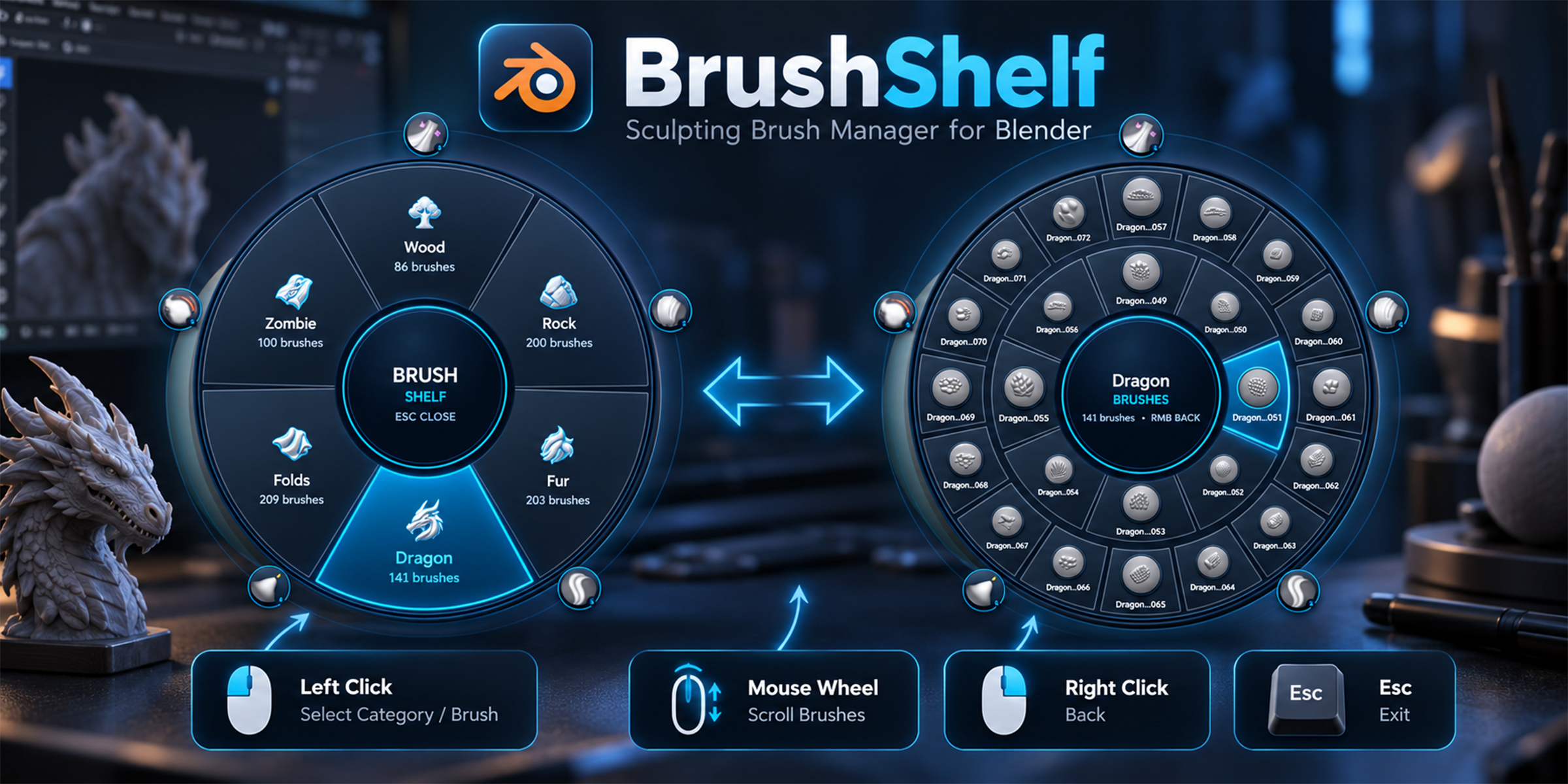
Brush Shelf – Sculpting Brush Manager
Switch between 939 included sculpting brushes via a radial Q-key menu. Pair fast brush selection with Seam Curve’s path-based detailing.
Explore Brush ShelfExplore Fabric Sculpting Mega Pack · Read the cloth sculpting guide
Take your seam detailing further
Ready to sculpt cleaner seams?
Seam Curve · Blender 4.2–5.3 · 300+ included alphas